BlackVue Sync v2
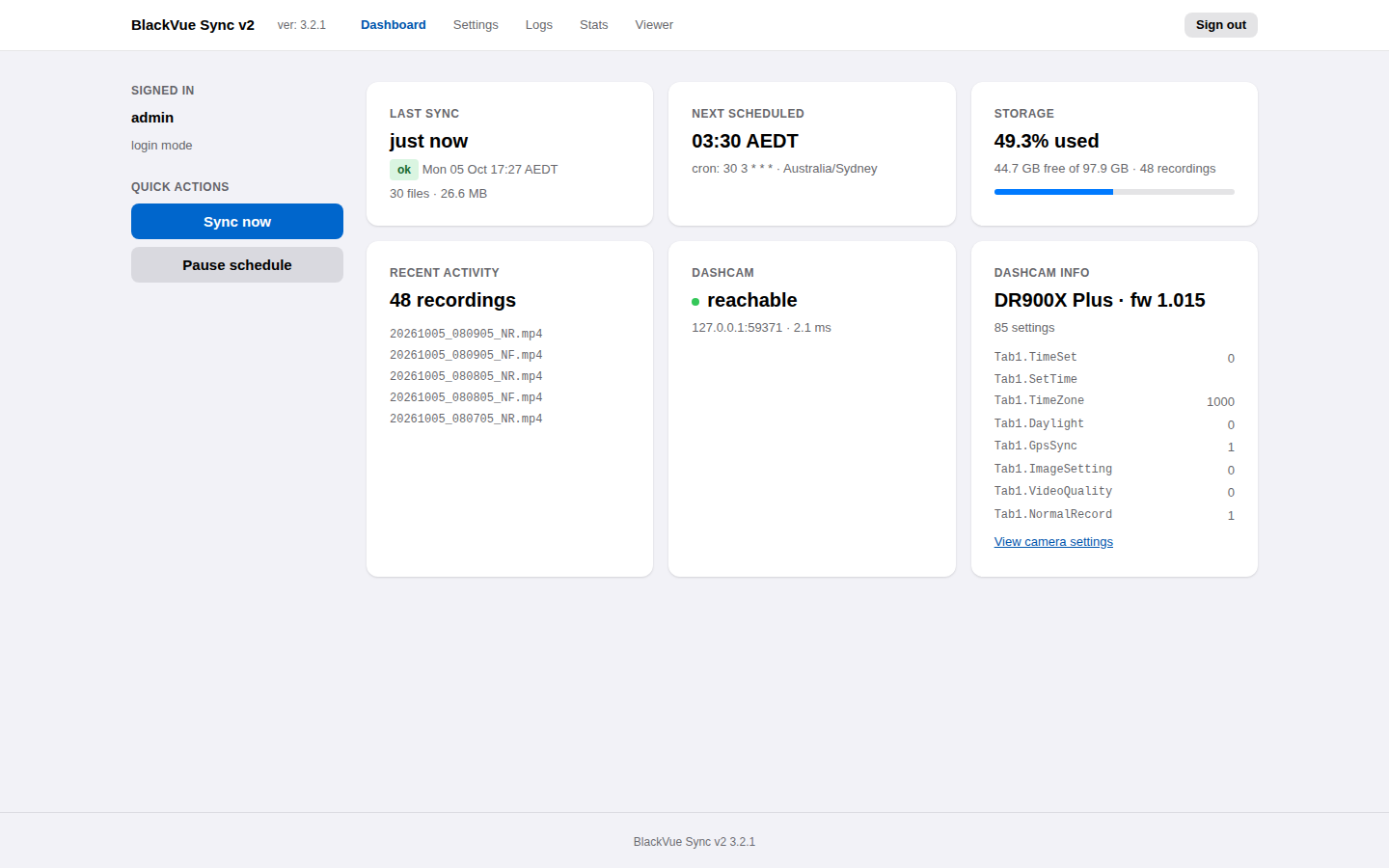
BlackVue Sync v2 copies recordings from a BlackVue dashcam to a folder on your own server whenever the car is parked in Wi-Fi range. It runs as a small web service, usually a Docker container on a NAS or home server, and gives you a dashboard, a recording viewer with a map, and a history of every sync.
What it does
- Downloads automatically on a schedule, only what is new, and resumes interrupted downloads where they stopped.
- Keeps your disk in check: deletes recordings older than a retention period and stops before the disk fills.
- Shows what is happening: live progress, the dashcam's status, logs and statistics in the browser.
- Plays your recordings: front and rear video together, with the GPS track on a map, speed and the G-sensor.
See the feature tour for screenshots of every page.
Quick start
With Docker Compose, on a machine on the same network as the dashcam:
services:
  blackvuesync-v2:
    image: ghcr.io/tekgnosis-net/blackvuesync-v2:3
    container_name: blackvuesync-v2
    restart: unless-stopped
    ports:
      - "8080:8080"
    volumes:
      - /data/dashcam:/recordings
      - ./config:/config
    environment:
      ADDRESS: 192.168.1.50  # your dashcam
      PUID: 1000
      PGID: 1000
      TZ: Australia/Sydney
      BLACKVUESYNC_TIMEZONE: Australia/Sydney
docker compose up -d
Open http://<server>:8080/, choose an admin password, and press
Sync now. The installation guide covers
requirements, reverse proxies and running without Docker.
Where to go next
| I want to… | Read |
|---|---|
| Install it | Installation |
| Change what gets downloaded or kept | Configuration |
| Run one-off or cron syncs without the web service | Command line |
| Update to a new version | Upgrading |
| Fix a problem | Troubleshooting |
| See what changed | Release notes |
Origins
BlackVue Sync v2 builds on BlackVue Sync by Alessandro Colomba, which has synchronized BlackVue dashcams since 2018. See Credits.