Features
The screenshots on this page come from a demo instance with generated test
footage, a made-up drive across the Sydney Harbour Bridge and invented sync
history. They are regenerated with python scripts/screenshots.py.
Dashboard
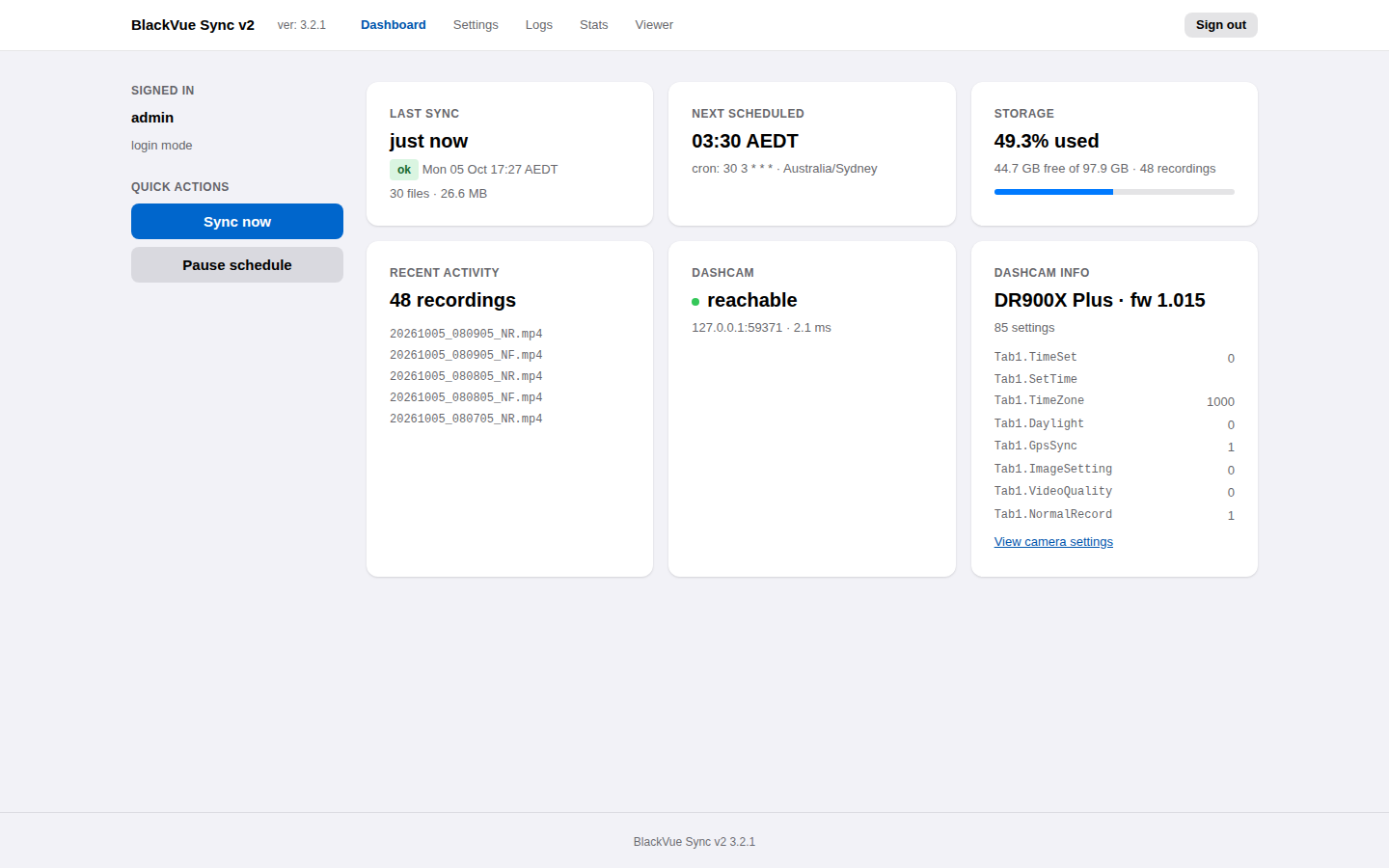
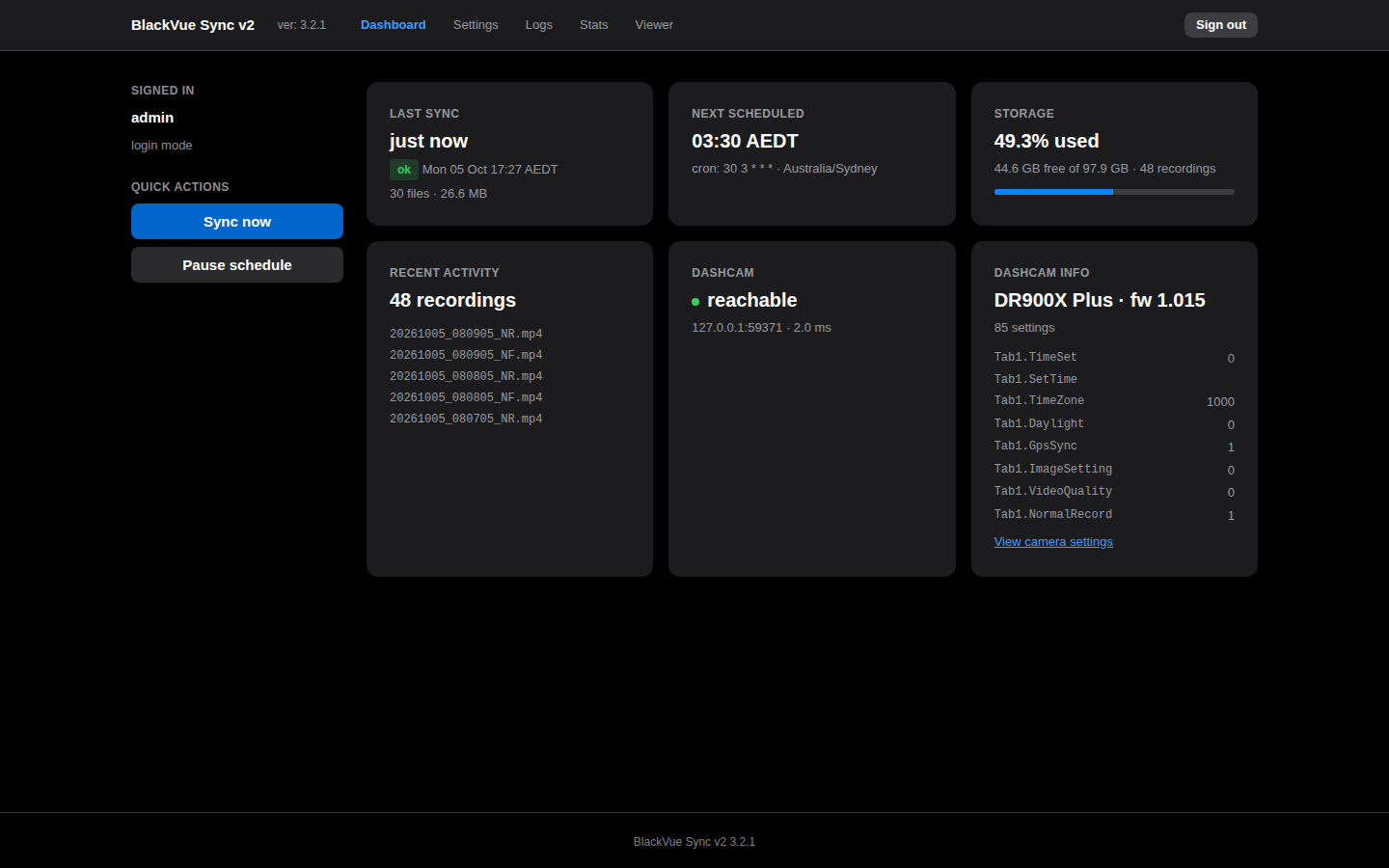
The dashboard shows the last sync, the next scheduled run, disk usage, the dashcam's reachability and model, and the most recent recordings. Sync now starts a sync immediately; Pause schedule stops scheduled runs without stopping the service.
While a sync runs, the dashboard switches to live progress:
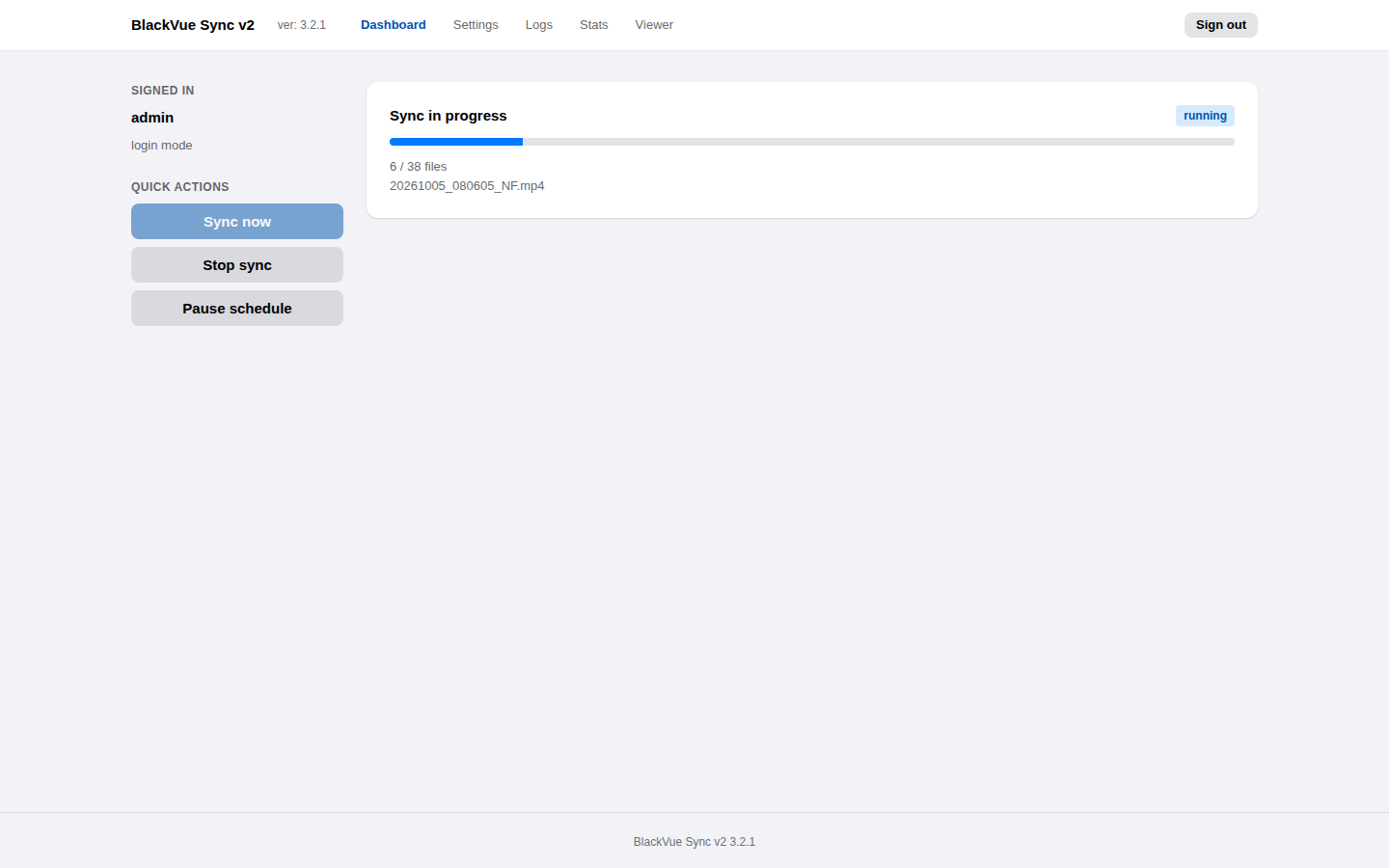
Progress updates several times a second. Stop sync stops after the current chunk; the partial file is kept and resumed next time.
Recording viewer
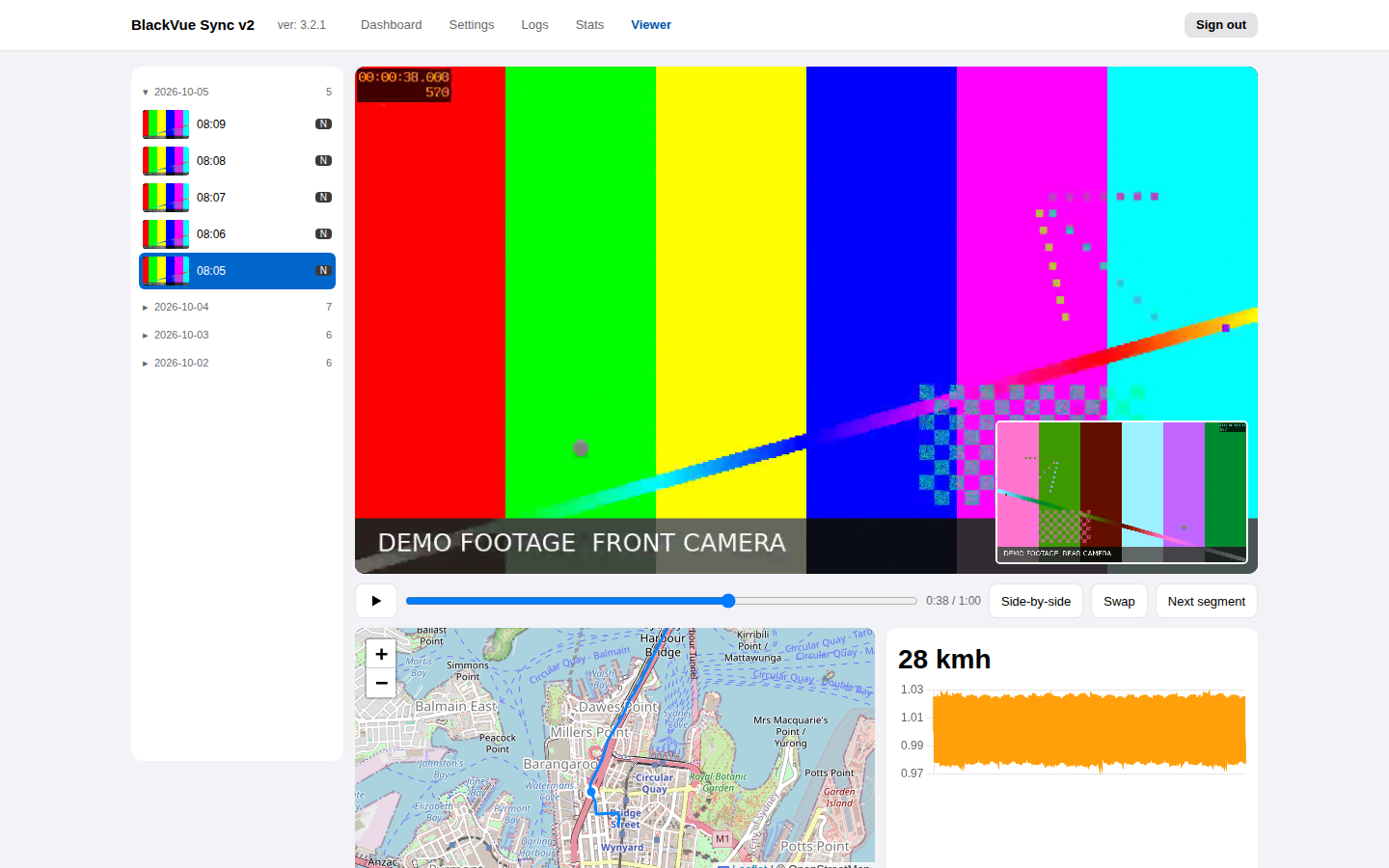
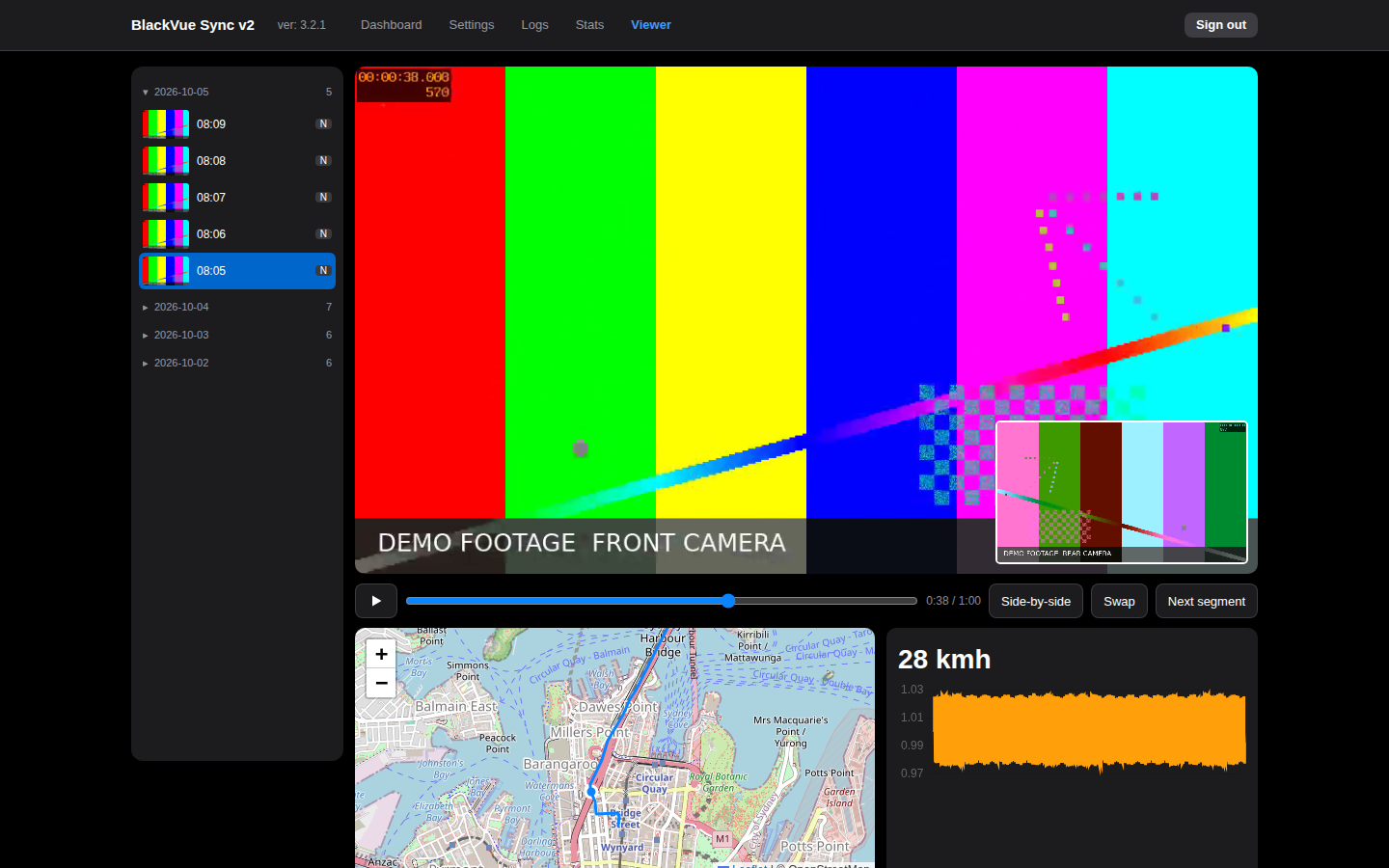
- Days are listed newest first; open a day to see its recordings. Libraries with tens of thousands of recordings load in a couple of seconds.
- Front and rear play together, picture-in-picture or side by side.
- The GPS track is drawn on an OpenStreetMap map with a marker that follows the video, alongside speed and a G-sensor chart.
- Consecutive recordings of one drive play one after another, and the list follows along. With Continuous play on, event (E) and parking (P) segments within a drive play too; otherwise only segments of the type you selected do.
Logs
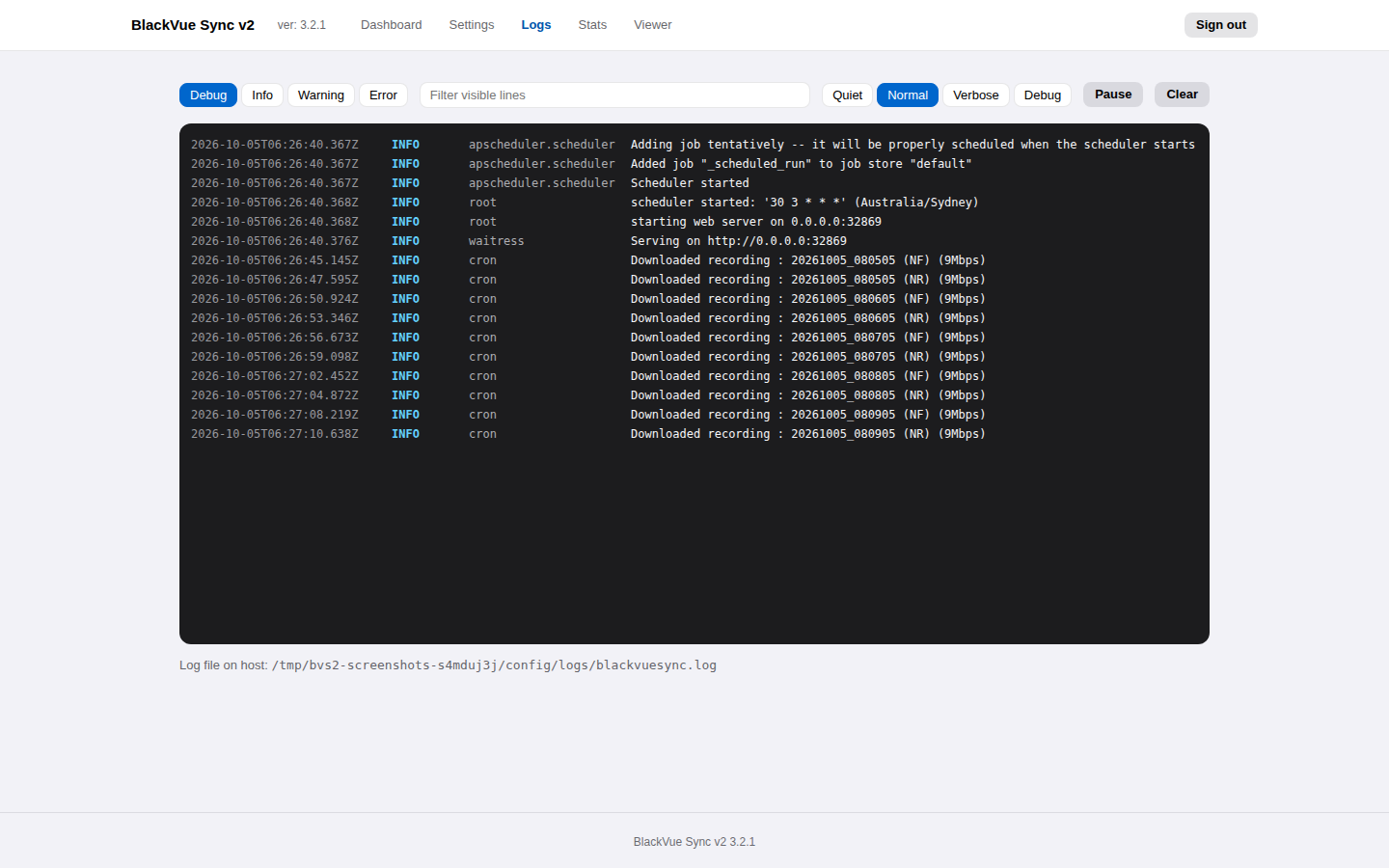
A live tail of the service log. Filter by level or text, change how much is
recorded (quiet to debug) without a restart, and pause the stream to read.
The same log is written to /config/logs/.
Statistics
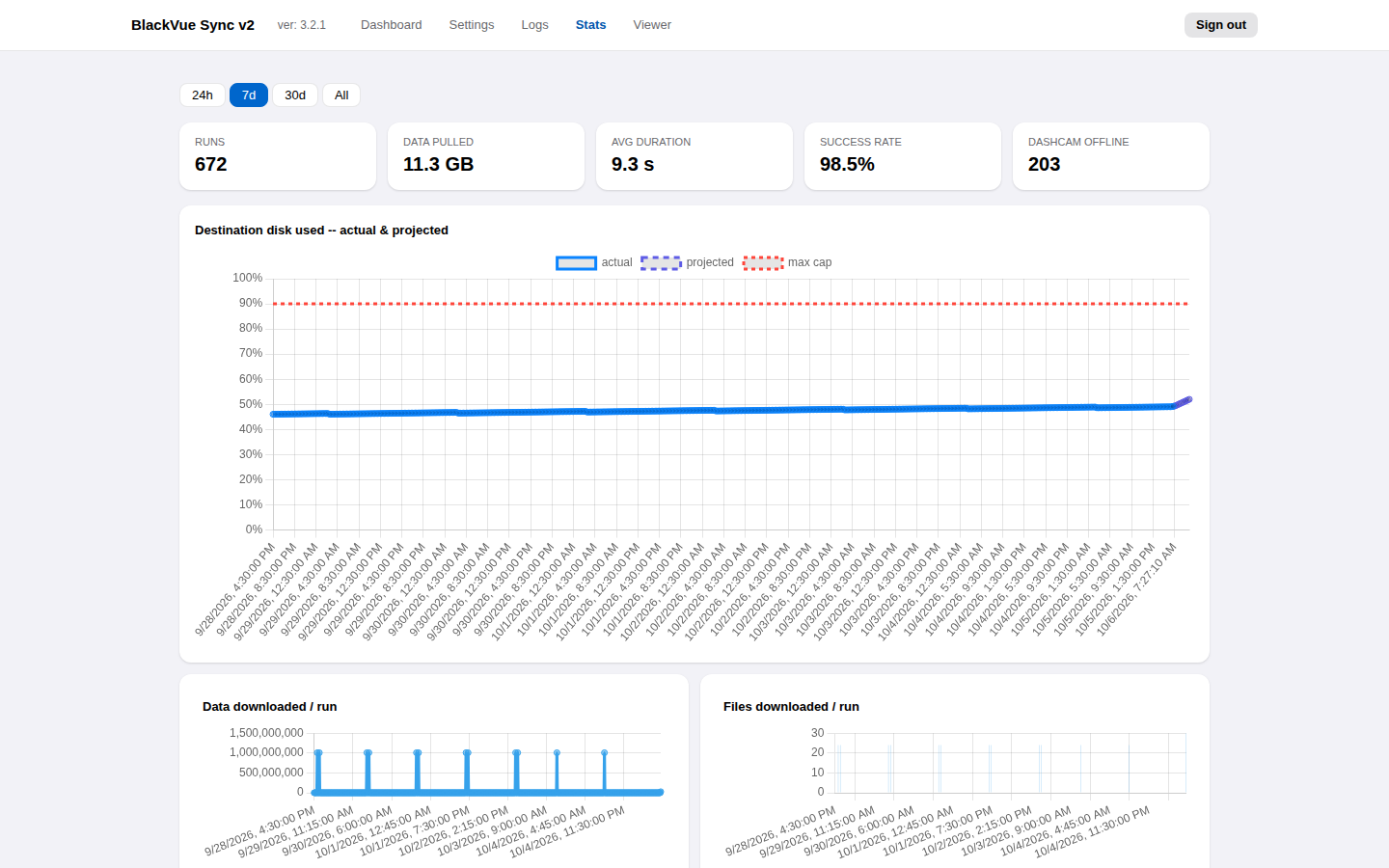
Every sync is recorded: runs, data downloaded, duration and success rate over 24 hours, 7 days, 30 days or all time. Runs made while the car was away are counted separately as Dashcam offline and do not lower the success rate, which covers only runs that reached the dashcam. The disk chart projects when the destination reaches its limit, taking retention into account.
Settings
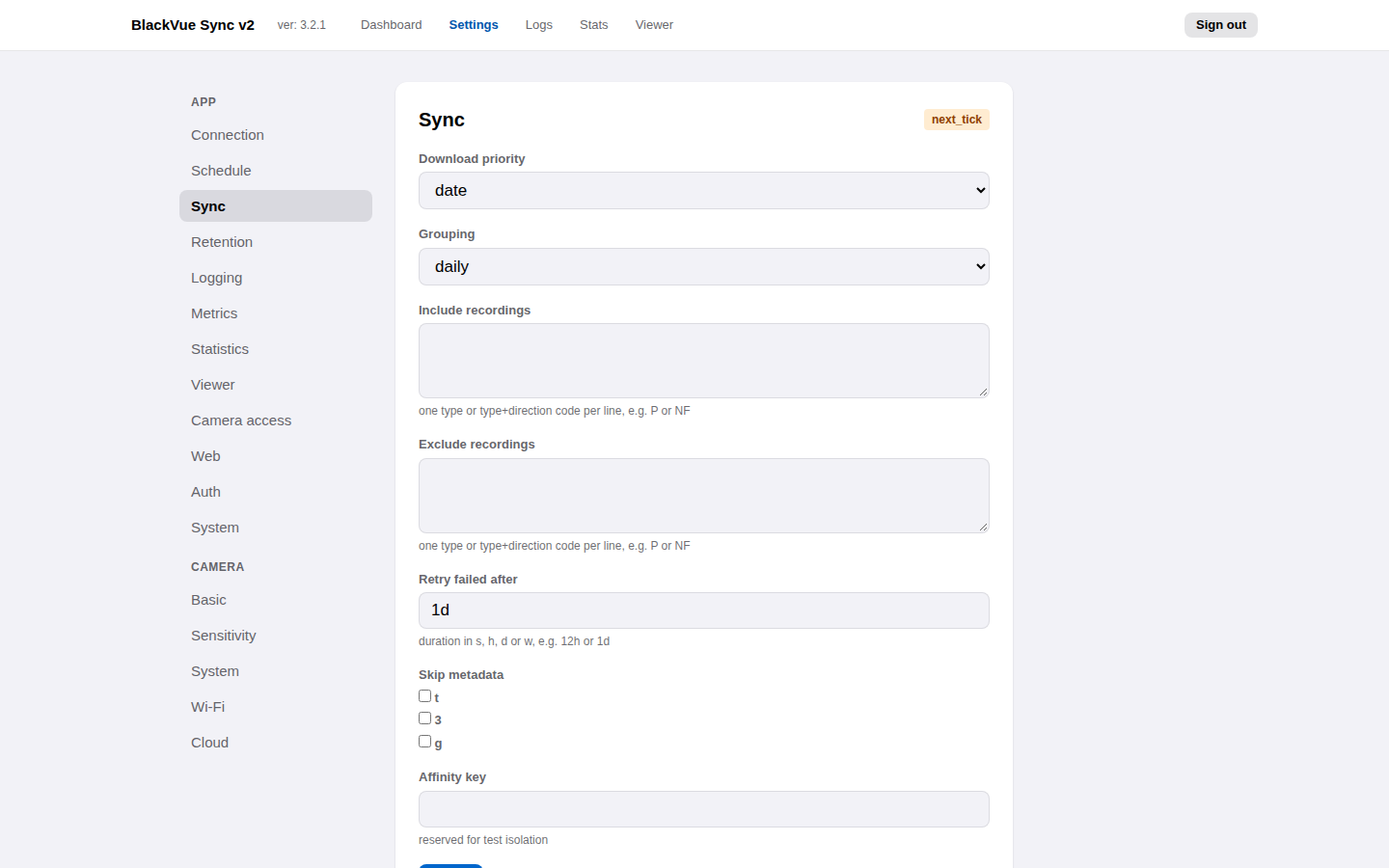
Every setting is editable in the browser and validated before it is saved. Most changes apply immediately or at the next sync; the few that need a restart are marked. See Configuration.
Camera settings
Every setting stored on the dashcam, shown under Settings → Camera in the same groups as the BlackVue app, with Wi-Fi passwords masked behind an eye icon. See Camera settings.
Dark mode
The interface follows the system's light or dark appearance, including browser-drawn controls such as buttons, sliders and scroll bars. Text meets the WCAG AA contrast ratio (4.5:1) in both modes.
Also included
- Authentication: a password with Argon2id hashing, login through a reverse proxy, or no login on a trusted network.
- Prometheus metrics to a file or a Pushgateway.
- A command line for one-off and cron syncs, compatible with the original BlackVue Sync options. See Command line.
- Docker images for amd64 and arm64 with a health check.